How do you catch incomplete work or missing proof after a cleaning?

Slate checks completed visits for incomplete checklist items and missing evidence, then routes configured exceptions to an alert queue for review.
How do you catch incomplete work or missing proof after a cleaning?
Slate uses more than a “visit completed” label. After a visit reaches its completion window, monitoring checks the recorded checklist and evidence for conditions that need attention. The monitoring worker can look for incomplete checklist items, missing required photos, GPS anomalies, duration overruns, visits that continue too long, and issue-escalation timeouts. It creates operational alerts for configured conditions rather than treating every completed visit as automatically verified.
Check the visit record after completion
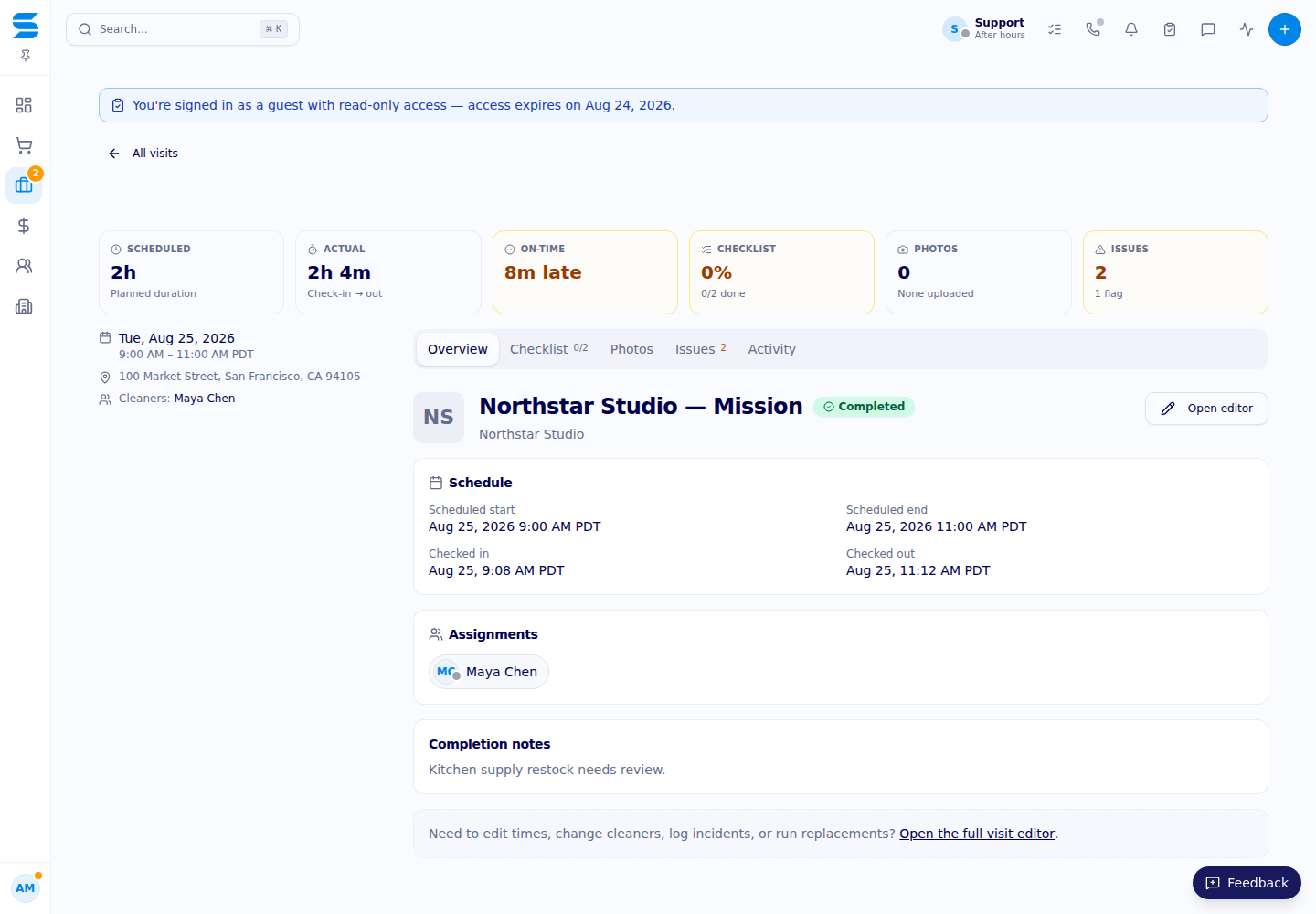
The field workflow gives a cleaner a task list tied to the visit and location. Rows can contain notes, reference media, and a required-photo setting. Completion is gated by required work in the checklist, and photo uploads have retry handling for failed uploads. Those controls help at the source, but a failed upload or unchecked row still needs a way to reach the operations team.
Post-visit monitoring is that second look. For a completed visit, the service checks whether required photo evidence is present and whether expected checklist work was recorded. The monitor also compares visit timing and location signals with the configured thresholds. This creates a review candidate when the record is incomplete or unusual; it does not claim that an algorithm can see every cleaning defect.
Timing matters. The monitoring worker evaluates completed visits in a post-completion window, so an alert is not necessarily instantaneous at the moment a cleaner leaves. Thresholds and enabled checks are part of the operational configuration. A facilities team should ask which checks are active for its program and how exceptions are triaged.
Route exceptions to one alert inbox
Operational alerts appear in the admin Alerts workspace. The inbox supports active and historical views plus category, severity, and status filters. A lead can assign an alert, acknowledge it, snooze it when a later review is appropriate, or resolve it after checking the underlying record. Subject links take the reviewer to the related visit or property context instead of leaving the alert as an isolated notification.
Alerts are deduplicated so a recurring monitoring pass does not create an endless stack of identical records for the same condition. The application also records activity around the operational event. That gives a manager a place to document what was checked and what action was chosen. Assignment and resolution are workflow actions; they do not by themselves prove that a cleaner returned or that a deficiency was corrected.
A useful review sequence is straightforward: open the linked visit, compare the checklist with the agreed scope, inspect the available photos and notes, and contact the responsible operations team when the evidence is insufficient. If the record is complete but the result is still in doubt, move the concern into the quality-review process rather than closing the alert solely because a photo exists.
Know what “proof” can and cannot establish
Evidence requirements should be designed around the location and task. A restroom supply check, a completed trash task, or a floor-care instruction may need different supporting information. A photo can show a limited view at one time; GPS and duration signals can identify an anomaly but cannot judge appearance; a checked box records an attestation, not an independent inspection.
For that reason, a missing-proof alert is best understood as a prompt for human follow-up. It helps the team find a record that needs review, while the QA workspace can provide a deeper inspection when quality itself is the concern. The system does not promise perfect detection, continuous observation, or automatic correction of an incomplete cleaning.
Before launch, agree on which tasks require photos, who reviews alerts, which thresholds merit escalation, and what happens when a cleaner cannot upload evidence. Ask for the alert history during an account review so your team can distinguish an open exception from a resolved one.
Review your proof and exception workflow
Ask Slate to map your required evidence to a sample visit and demonstrate how an incomplete checklist or missing photo would be reviewed in the Alerts workspace.




Proudly supporting

.avif)