How do you train a distributed workforce without relying on word of mouth?
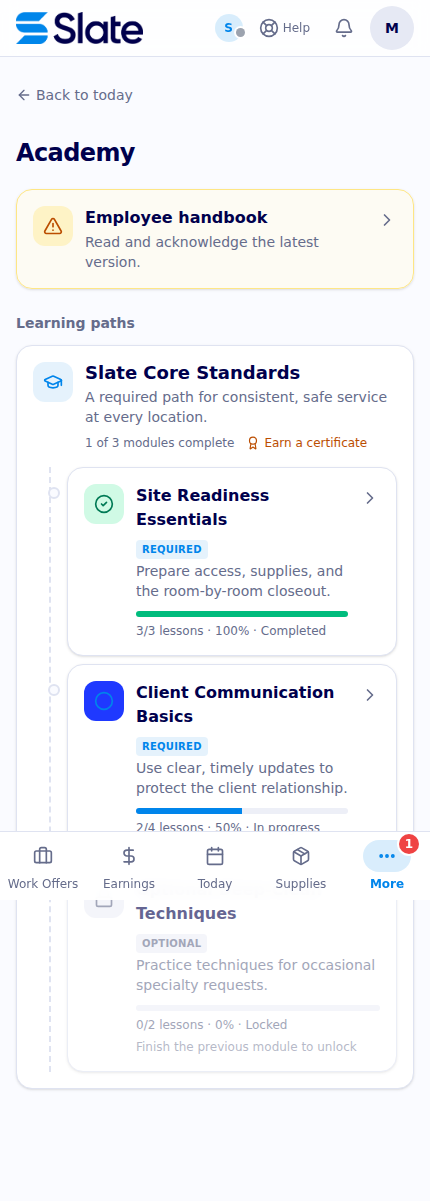
Slate Academy standardizes cleaner learning with required modules, progress, server-recorded completion, handbook signing, and targeted policy updates.
How do you train a distributed workforce without relying on word of mouth?
Slate gives distributed cleaners a shared Academy instead of asking each location manager to repeat the same instructions. Assigned programs and courses show required versus optional modules, ordered progress, and completion status. Lessons can contain text, video, photos, objectives, callouts, or quizzes, and the server records lesson and course completion so training is more than a conversation that happened once.
Put the same operating method in one place
The cleaner opens Training at /training and sees active learning paths, module descriptions, and progress. A program can contain modules in an intentional order. Required modules are labeled separately from optional learning, and a required prerequisite can keep a later module locked until the earlier work is complete. Standalone enrolled courses also appear in the cleaner’s course list.
The result is a common starting point for a distributed workforce: a cleaner in one city can receive the same published lesson structure as a cleaner in another. The account’s content, assignments, language versions, and program configuration still determine what each person sees.
Make completion observable
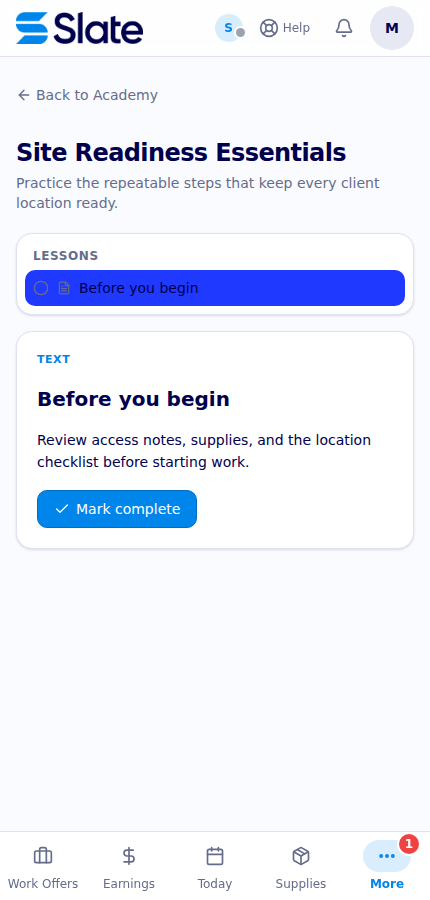
Opening a module leads to its course detail page. Slate can present a text lesson, video lesson, quiz, or richer lesson blocks, with Spanish titles and content where those versions have been authored. A cleaner completes a text or video lesson through the course flow. For a quiz, the cleaner submits answers; Slate calculates the score against the configured passing score and records completion only when the quiz passes. A failed quiz returns a retry state rather than silently treating an attempt as finished.
When the last lesson in a course is complete, the enrollment is marked complete server-side. A recurring course can also have a next-due date based on its configured renewal interval. That gives operations a completion record to review without treating a button click as proof that a cleaner was physically observed performing the work.
Pair training with the handbook and policy updates
Academy is not the only place where a distributed team receives operating direction. The Training hub can show handbook status and link to /handbook, where a cleaner reads the assigned handbook and signs the required acknowledgments with ESIGN/UETA consent. Targeted policy broadcasts appear alongside the learning experience when HR publishes them. A cleaner can open an update, acknowledge it, or decline it with an optional follow-up reason.
The handbook and policy flows preserve the document record for authorized owners and administrators. They are useful for showing that a version or targeted update was presented and acknowledged; they are not a substitute for a manager confirming an on-site condition when the policy requires one.
What this means for a multi-location client
Your operating method is less dependent on which supervisor happens to be on shift. New cleaners can follow the same required path, experienced cleaners can take optional modules, and operations can use recorded completion when deciding what follow-up is needed. A policy change can be targeted as an update instead of being lost in a chain of texts.
Slate does not guarantee comprehension, skill, attendance, or behavior merely because a lesson is complete. Course assignments, prerequisite rules, translations, handbook publication, and policy targeting are configured by the account. PDF access and acknowledgment records are permission-scoped, and no policy update should be described as sent to all cleaners unless the configured audience actually includes them.
See the Academy workflow
Ask Slate to map your required modules, prerequisites, language needs, handbook acknowledgments, and policy-update process into a training path your location teams can use consistently.




Proudly supporting

.avif)