How do you match cleaners to our schedule without double-booking them?
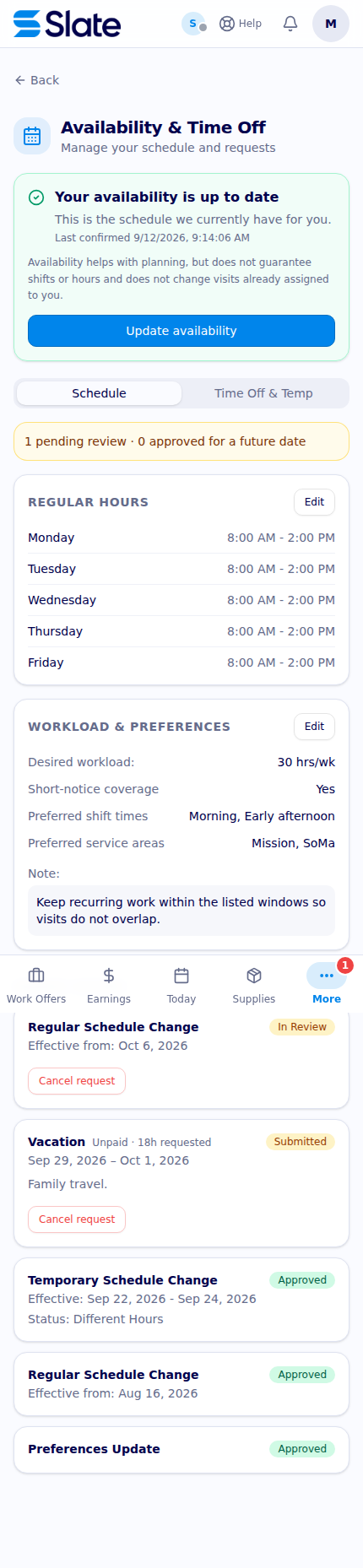
Slate combines cleaner availability, recurring and temporary exceptions, service eligibility, open-work details, and schedule-conflict checks before work is claimed.
How do you match cleaners to our schedule without double-booking them?
Slate starts with the cleaner’s stated availability, then checks the proposed work against eligibility and existing visit times. Recurring jobs and one-time visits are shown as different work types, while open work can carry a visible schedule-conflict warning. The workflow is designed to make conflicts visible before a commitment and to recheck the slot when a cleaner claims work. It reduces avoidable overlap without pretending that a schedule screen can guarantee attendance or remove every operational judgment.
Keep recurring availability separate from one-off exceptions
Cleaners can maintain recurring weekly windows in the Availability area and submit temporary exceptions, different hours, preferences, and time-off requests. A recurring version can have an effective start and end, while a temporary exception can describe a period of availability, unavailability, or different hours. Requests and their review status remain visible in history, so operations can tell the difference between a proposed change and an approved one.
The screen also exposes availability freshness. A cleaner may need to confirm that their availability is still accurate, and the portal can show whether the current information is current, stale, or unknown. That is an important operational boundary: a schedule match is only as reliable as the availability and assignment data behind it.
Match the right kind of work
Slate’s available-work view separates recurring jobs from one-time visits and can include targeted replacement offers. A recurring job card can show its service type, property, expected cadence, upcoming time, required headcount, and response deadline. A one-time visit card shows the property, client, scheduled date and time, expected duration when an end time exists, and the offer deadline.
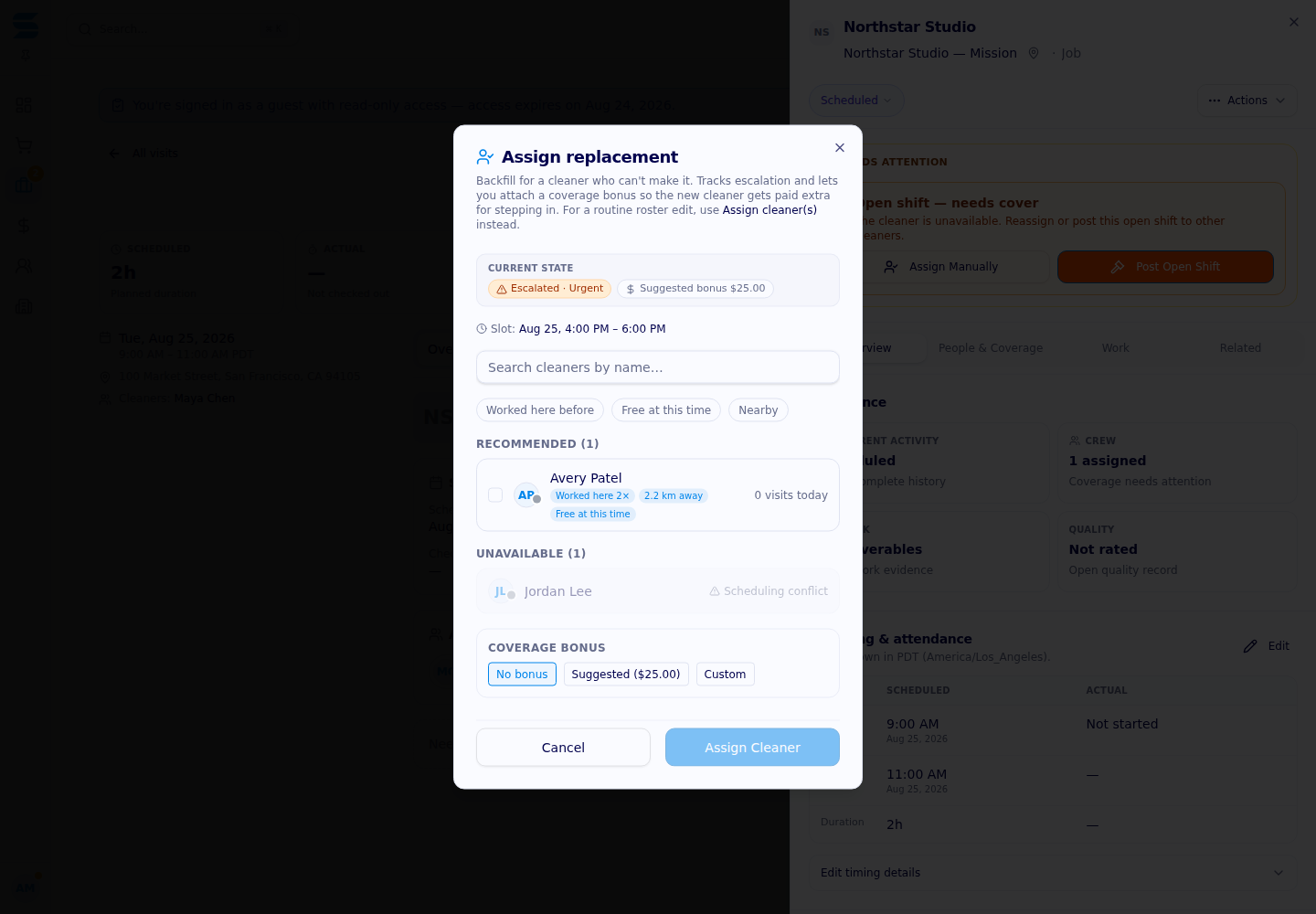
Eligibility is checked before work is shown as claimable. Depending on the workflow, that can include the cleaner’s service area and service type. The server also calculates whether existing scheduled visits overlap the proposed slot. When an open job has a conflict, the card can remain visible with a clear warning so the cleaner understands why the opportunity needs review rather than accidentally assuming it fits.

Check the slot again at commitment
Visibility is not the same as reservation. A cleaner may be looking at the same open work as another cleaner, a visit may have changed since the page loaded, or a new assignment may have arrived. Claiming therefore performs server-side checks for eligibility, auction state, expiry, capacity, and—on visit-level open shifts—overlapping assignments. If the auction is closed, expired, full, or no longer eligible, the claim does not silently succeed.
For recurring jobs, the conflict indicator is a planning prompt; the operations team may still need to resolve an overlap when distributing future visits. For a one-time replacement visit, a hard conflict check protects the specific time slot. That difference is worth explaining to a regional manager: the system helps prevent double-booking, but recurring staffing still needs an intentional review of availability, travel, and workload.
Give the schedule a human review loop
A good matching process combines the cleaner’s declared windows, temporary exceptions, service qualifications, geography, existing visits, and the assignment’s actual time window. Operations can use the visible conflict state to contact a cleaner, adjust a visit, or choose another candidate before a problem reaches the property. When availability changes, the submitted request and review state provide context for why a prior match may no longer be current.
Slate does not promise that an available cleaner will accept work, arrive on time, or remain free after a schedule is published. Time zones, missing end times, travel, late changes, and account policy affect the result. What it does provide is a more disciplined handoff from declared availability to eligible work and conflict-aware assignment.
Review your staffing pattern
Ask Slate to map your recurring service cadence, one-time coverage needs, availability approvals, conflict rules, and local review process across the locations you manage.




Proudly supporting

.avif)